 Cloud Inventory Tracker
Your products. Your stock. One clear view.
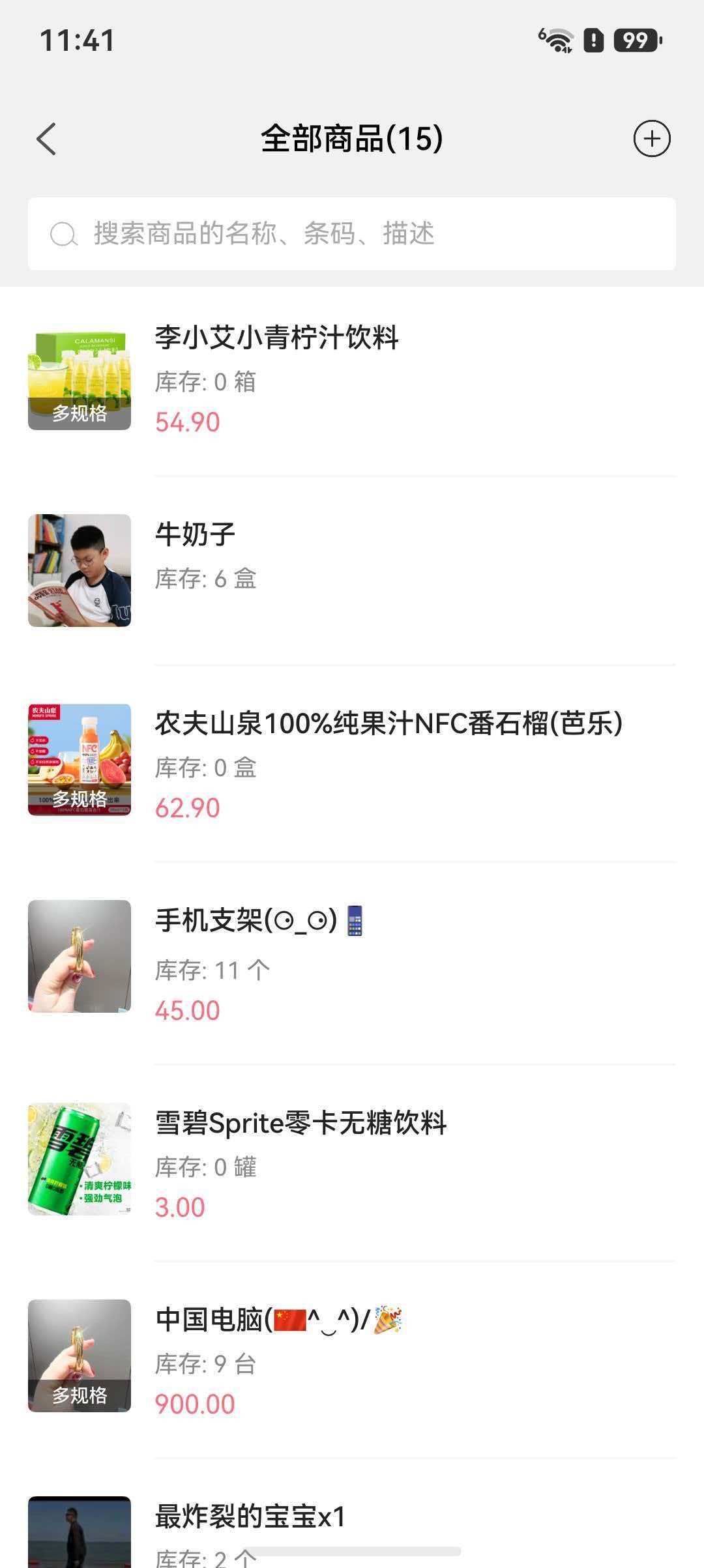
View product photos, quantities, units and prices. Find items by name, barcode or description, with variants clearly identified.
Keep your shop or small stockroom organized with Cloud Inventory Tracker. Explore a clear workflow for incoming goods, outgoing stock and everyday inventory management.
Actual product screenshots · Simplified Chinese interface
View product photos, quantities, units and prices. Find items by name, barcode or description, with variants clearly identified.
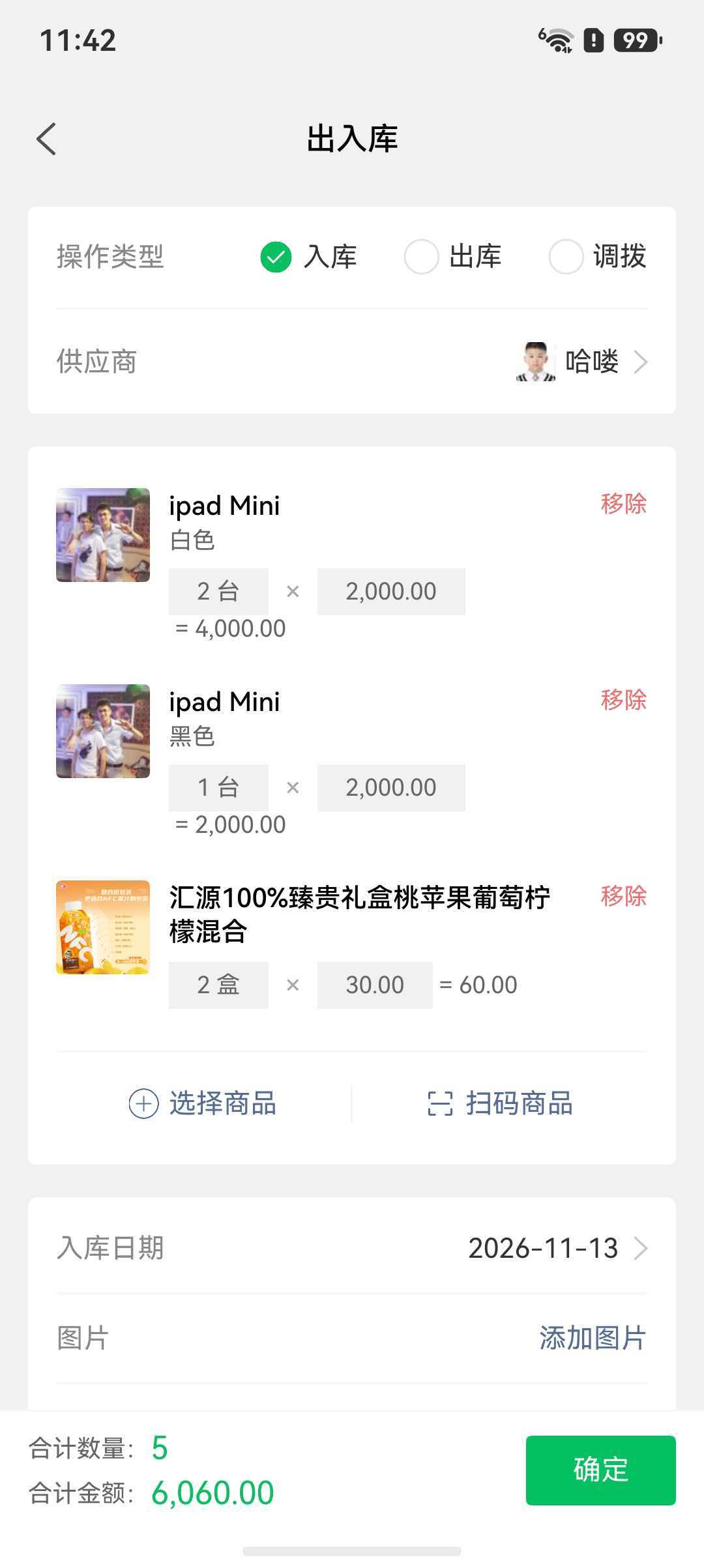
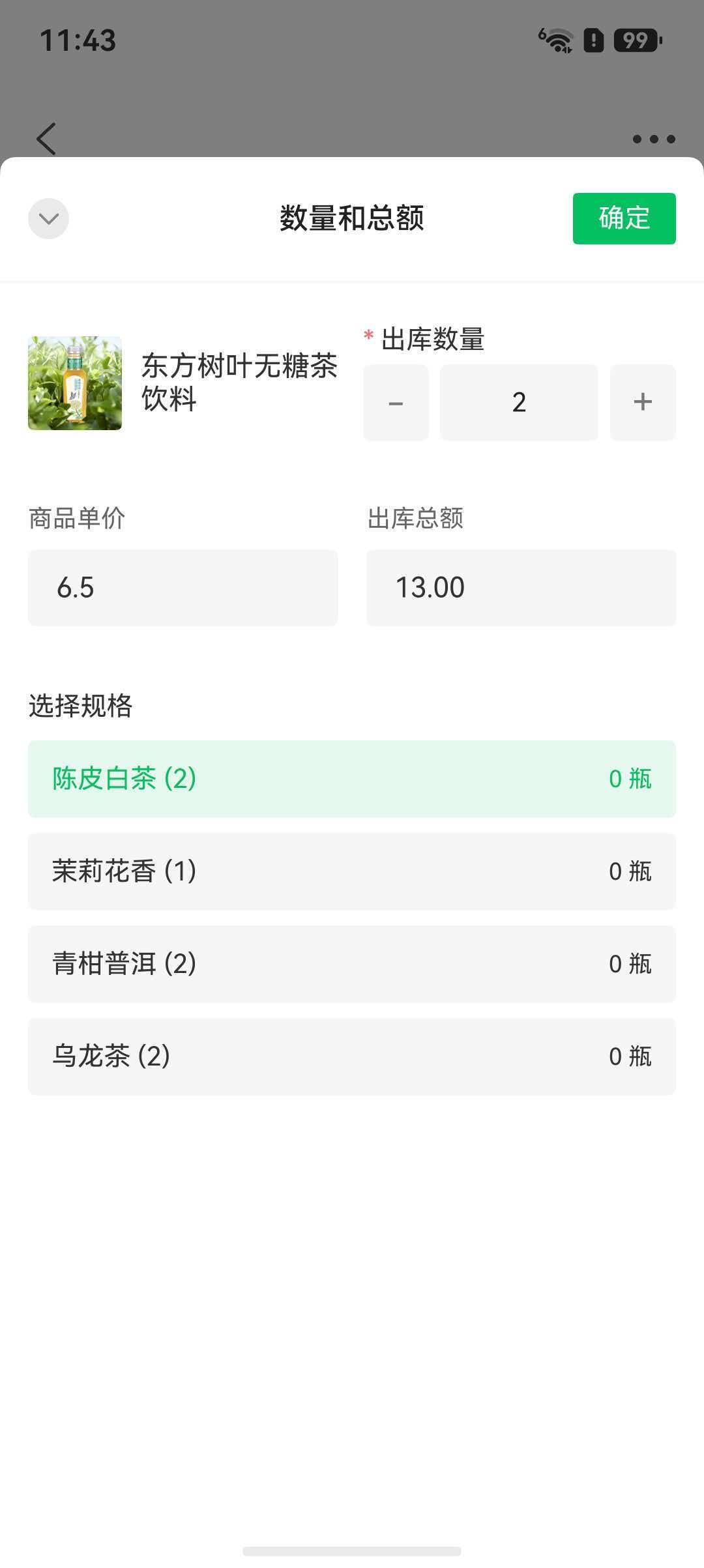
Select a supplier and products, then enter quantities, prices and dates for incoming stock. Choose the product variant and confirm the quantity and total for outgoing stock.
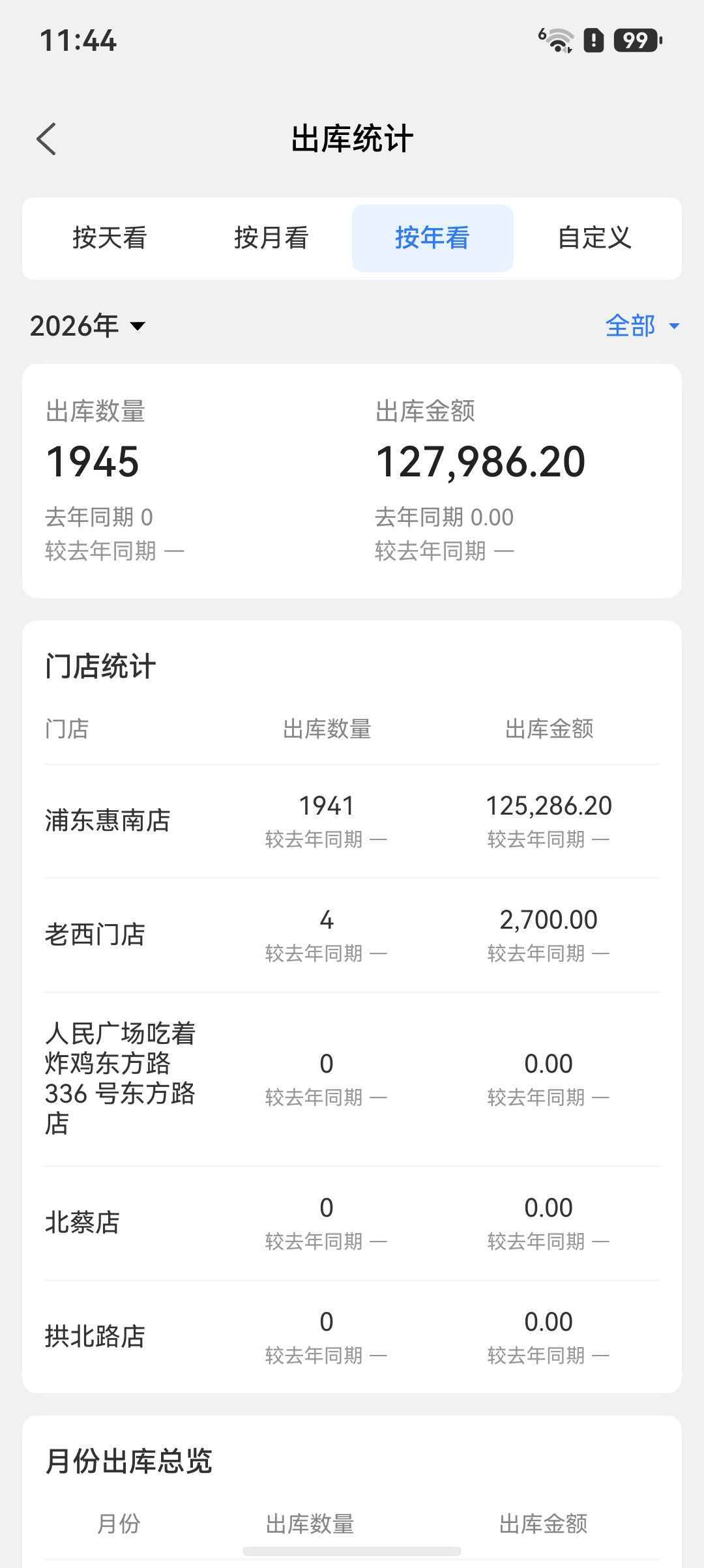
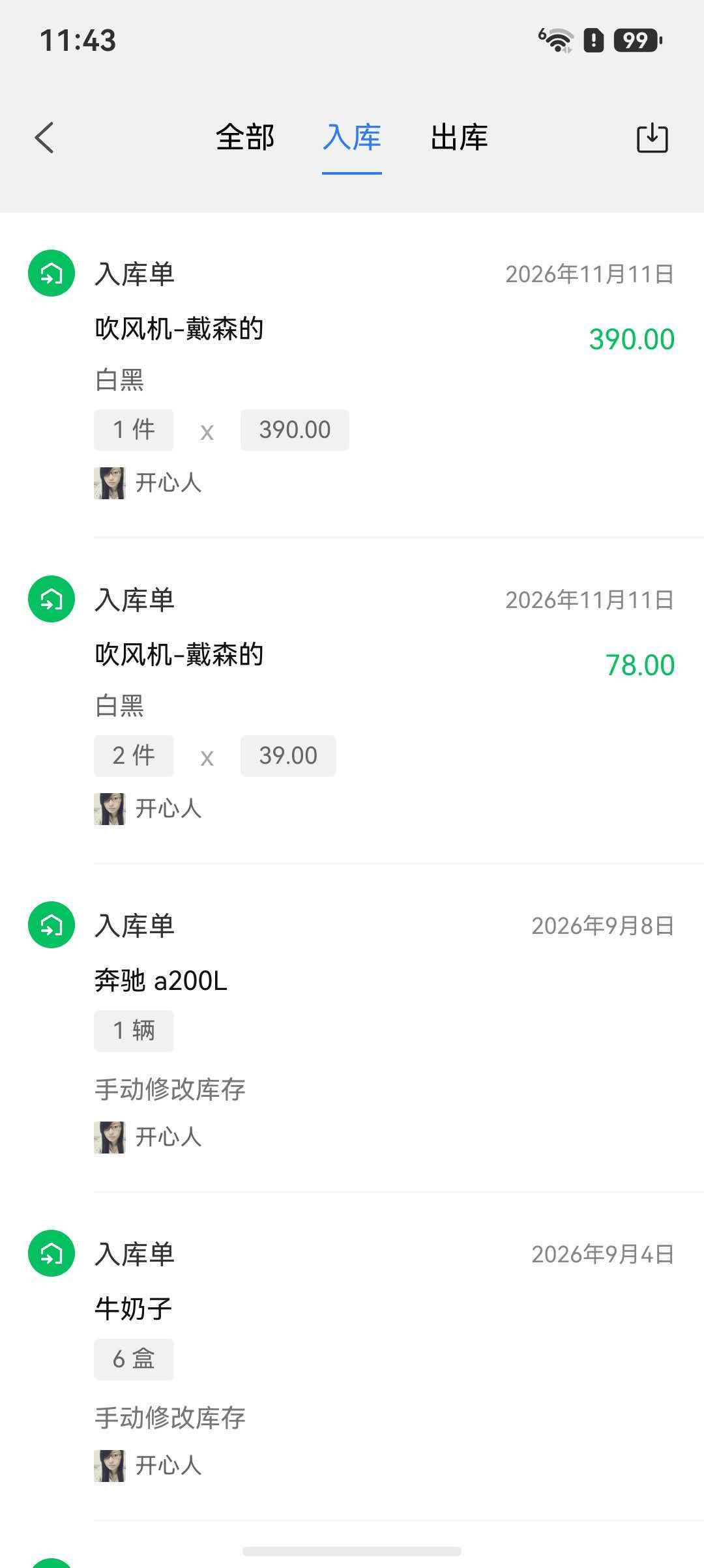
Check stock-in and stock-out records by date, quantity, amount and operator. Review reports by day, month, year or a custom period, with stock-out figures by store.
A focused place for the everyday ins and outs of your stock.
From your first delivery to the last item sold, give every stock movement a place.
Bring a little more order to the shelves, boxes and daily handovers.
Build a clear inventory routine as your day-to-day business grows.
Explore Cloud Inventory Tracker on Google Play. Current availability, pricing and any in-app purchases are listed in the app and its store listing.
Start with a list of products and a counted opening quantity for each one. Record the date, product and quantity whenever goods arrive or leave. Keep returns and damaged goods separate from sales, and regularly compare your records with a physical count.
A spreadsheet can be enough for a small product list with one person updating it. If you record movements on your phone throughout the day, compare mobile inventory apps against that workflow. Check the actual app features before moving your records.
Check for missing stock movements, duplicate entries, unrecorded returns, damaged goods and mixed units such as boxes versus individual items. Count the affected products again and record the reason for any correction.
Start with your daily workflow: which products come in, which go out, and how you check the quantity left. Review the current app features on Google Play to see whether they fit your shop or stockroom.
Use “Get the app” to open the official Google Play listing for Cloud Inventory Tracker.
This is the product website. Download and use the Android app through Google Play.
Check the Google Play listing and the app for current pricing and purchase details.